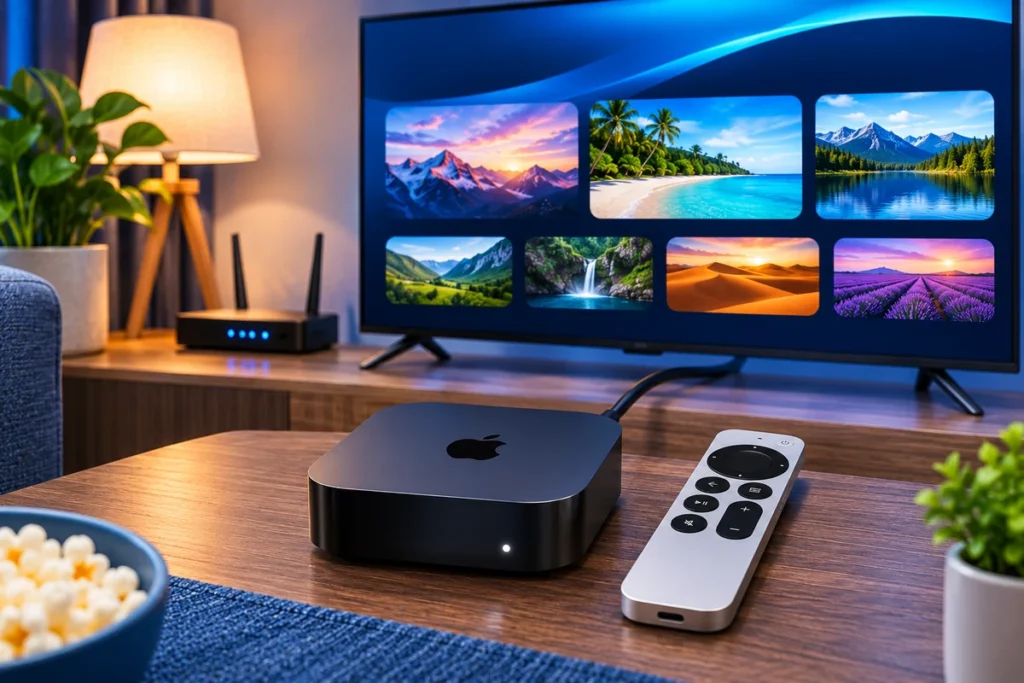
To set up Stream4K IPTV on Apple TV, install a compatible Stalker/MAC player such as iSTB Lite, obtain the Stalker portal URL for your Stream4K account, and make sure the MAC address used by the player is registered with your subscription. Add a Stalker portal profile in iSTB, enter the matching details, and open the profile to load available channels.
The key difference from setting up a MAG box is that Apple TV runs tvOS, not MAG firmware or Android. You install iSTB from the Apple TV App Store; you do not install an STBEmu APK or look for the MAG portal settings menu. The iSTB App Store listing confirms support for Stalker middleware, but the developer cautions that some providers are incompatible. Start with the free iSTB Lite app before considering the paid version.
Which Apple TV models support this setup?
Apple TV HD and Apple TV 4K models with a compatible tvOS version can install iSTB from the App Store, subject to regional availability. The App Store lists iSTB Lite as supporting Apple TV with tvOS 13 or later. An old Apple TV (3rd generation)—the pre-tvOS model, not Apple TV 4K (3rd generation)—cannot download new App Store apps. Apple’s Apple TV installation guidance explains this distinction.
If you already have an Apple TV 4K or Apple TV HD, you can proceed. If there is no App Store on the device, check its model before purchasing a player or subscription.
What you need before starting
| Requirement | Why it matters |
|---|---|
| Apple TV HD or Apple TV 4K | Runs a compatible tvOS App Store player |
| iSTB Lite | Lets you check whether the Stalker portal works before paying for iSTB |
| Stream4K Stalker portal URL | Identifies the portal endpoint; the website homepage is not a substitute |
| MAC address used in iSTB | Must match the identifier authorized for your Stream4K connection |
| Activated subscription or trial | A portal URL alone does not grant access |
| Working internet connection | Required to contact the portal and play streams |
Need an account first? Use the Stream4K 48-hour trial page and identify Apple TV + iSTB as the device and player. Ask support to confirm Stalker portal compatibility before purchasing iSTB, because an app supporting Stalker does not guarantee that every individual server will accept it.
Stream4K Apple TV setup with iSTB Lite
1. Install the Apple TV app
On your Apple TV, open App Store, search for iSTB Lite, check that the developer is Nihal Ahmed, and select Get. Open it from your Home Screen. Apple documents these App Store installation steps. App names and availability can differ by region.
Use the Apple TV version of the app. A download for an iPhone or iPad does not automatically mean the same interface is shown on tvOS.
2. Add a Stalker portal profile
Inside iSTB Lite, open its provider/profile screen and select Add or the + control. Choose the Stalker/MAC-based portal connection type where the app offers a choice. The developer’s iSTB support instructions describe adding a provider with the plus control and supplying the portal URL and registered MAC address. The button location may vary between tvOS releases.
Give the profile a recognizable name, such as Stream4K Living Room, if the app asks for one. The profile name is only a local label; it is not the portal address.
3. Confirm which MAC address to register
This is the most important part of MAC-based IPTV on tvOS. A Stalker server uses the MAC identifier presented in the IPTV player’s portal connection. It is not automatically the Wi-Fi or Ethernet hardware address displayed in Apple TV Settings.
If iSTB shows or assigns a MAC address in its portal profile, record it exactly and send it to Stream4K for activation. If support assigns a specific MAC address for the account, use that address in the app as instructed. The value entered in iSTB must match the one activated on the service. Do not invent a 00:1A:79 address, copy another customer’s identifier, or assume that a different Apple TV’s MAC will work.
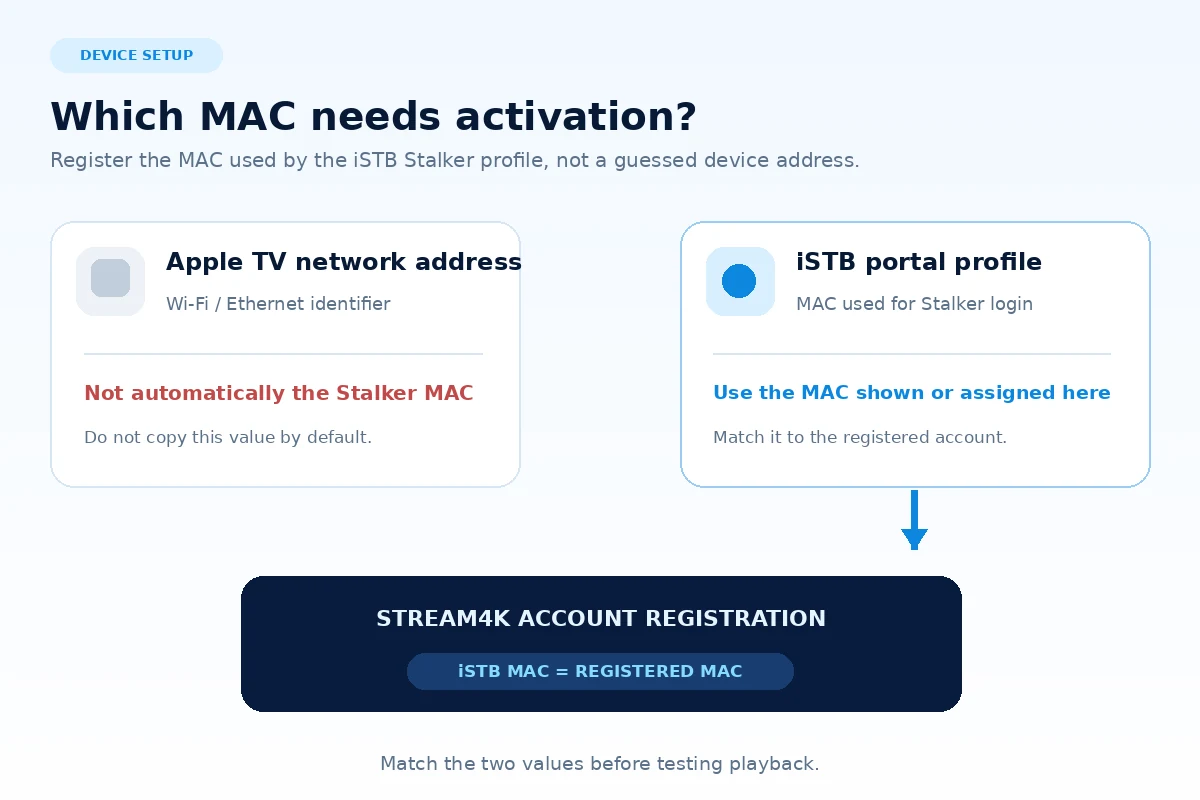
If the app only reveals a MAC after you create the profile, save the profile details first, obtain the address shown, request activation, and then reconnect. If your installation screen does not show any MAC field, confirm the required registration process with support rather than guessing.
4. Enter your Stream4K Stalker portal URL
Copy the exact portal URL provided for your account into the portal URL field. Keep the protocol (http:// or https://), hostname, any port, and path exactly as supplied. Do not substitute stream4kpanel.net or an example address: a customer website and a Stalker portal are different endpoints.
Stalker portal credentials differ from Xtream Codes username/password logins and M3U playlist URLs. Select the Stalker option for a MAC-based Stream4K account. If your provider has given you a different connection type, ask for the matching instructions rather than entering those details into a Stalker field.
5. Save and open the profile
Save the provider/profile entry and select it to connect. Once the registered MAC and URL match an active account and the server accepts the app, iSTB should request the content authorized for that account. Live TV, an electronic program guide (EPG), video on demand, and catch-up depend on the features actually supplied by the provider. The iSTB developer’s feature notes distinguish app capabilities from provider-supplied content.
Test a live channel, change to another channel, and open any available guide information. A channel list appearing is not enough to confirm that playback works on your connection.
iSTB Lite or the paid iSTB app?
For a first iSTB Apple TV setup, use iSTB Lite. It is intended as a compatibility check and supports a limited provider/profile experience. The paid iSTB offers multiple portals and additional features, while both still require a separate content subscription. Check current pricing in your country’s App Store; it is not included in the Stream4K service fee.
| Player | Best use | Limitation |
|---|---|---|
| iSTB Lite | Check whether your Apple TV and specific Stalker portal connect | Limited demo features and interruptions |
| iSTB | Regular viewing after confirming compatibility | Paid app; cannot fix a server that rejects the connection |
The current App Store descriptions mention Stalker, Xtream Codes API, and M3U compatibility. This guide uses Stalker because Stream4K’s subscription information describes its service as Stalker/MAC-based. Those three login methods are not interchangeable.
Common Apple TV Stalker portal problems
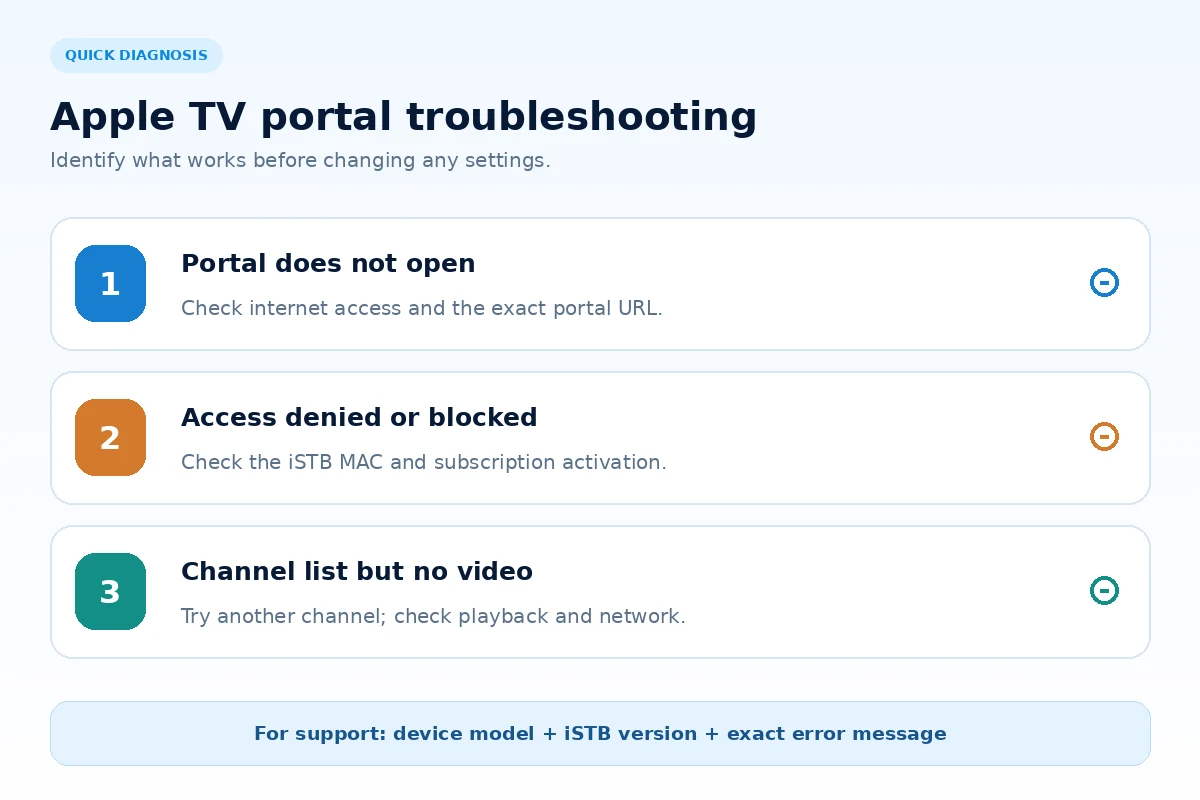
The portal cannot be reached or remains on loading
Check that Apple TV can open another internet-based app. Restart iSTB and, if necessary, the Apple TV and router. Compare the saved URL character by character with the address supplied for your account, including port and trailing path. If the portal is unreachable from other compatible devices too, report the exact error to Stream4K support rather than changing random network settings.
Authorization failed, blocked, or access denied
Confirm the MAC address shown or used in iSTB is the same identifier registered on the account. Ask support whether the trial or subscription is active and whether this exact iSTB client is permitted. Changing the Apple TV’s network settings will not correct an incorrect MAC registered at the portal. Do not repeatedly change or spoof identifiers to bypass an authorization error.
Channels load but a stream does not play
Try a second channel, check Apple TV’s connection stability, and test both live TV and on-demand content if your subscription includes both. Update iSTB through the App Store if an update is available. If only certain channels fail, send support the channel name and approximate time; if every channel fails, mention that the portal loads but playback does not. These are different faults.
The programme guide is blank
An EPG is not created merely by installing the player. Its availability and schedule data depend on the provider. Refresh the profile’s content or EPG if your app version has that option, then ask support whether programme-guide data is enabled for the account.
iSTB is missing from the Apple TV App Store
First check you are using an Apple TV HD or Apple TV 4K with a supported tvOS version. A pre-tvOS Apple TV (3rd generation) does not have an App Store for installing iSTB. If you have a supported model but the app does not appear, availability may differ by country or App Store account. Avoid unofficial IPA/APK downloads claiming to install Android players on tvOS.
Apple TV setup questions
Is iSTB the same as STBEmu?
No. Both can connect to certain Stalker portals, but they are separate apps for different operating systems. On Apple TV, use a tvOS-compatible player obtained from the App Store. For Android-based devices, see the Stream4K Android TV setup guide.
Can I use the Apple TV Wi-Fi address as my Stalker MAC?
Only if the specific provider and app tell you to do so. The relevant identifier is the MAC configured or reported for the iSTB portal profile and registered by Stream4K. The Apple TV hardware address is a separate network identifier; replacing one with the other without confirmation can produce an authentication error.
Does iSTB include a Stream4K subscription?
No. iSTB is the playback app. A separate valid Stream4K account or trial is needed for the portal to return content. The app developer does not provide the channels or subscription.
Conclusion
For a Stream4K IPTV setup on Apple TV, start with iSTB Lite, register the MAC used by its Stalker profile, and enter only the portal URL supplied for your activated account. Do not buy the full app until you have verified that the same portal both connects and plays channels on your Apple TV; the developer explicitly states that some providers may be incompatible.
If you need a different device guide or want to compare setup routes before activating, visit the Stream4K Setup Guides directory. For an account-specific MAC or portal issue, send support the Apple TV model, the iSTB app version, the MAC identifier shown in the profile, and the exact error message—never send your account password publicly.